Cloud accounting software for small businesses in Saudi Arabia
Most small businesses in Saudi Arabia keep their books in a spreadsheet, a desktop program or the accountant's office, and the shop's sales live somewhere else. Cloud accounting puts the sales, purchases, VAT and ledgers in one place that the owner and the accountant can both open. Here is what it should cover and how StartERP covers it.
By Sirin Kolasseri, Founder of StartERP · Updated
What Saudi books have to handle
- VAT at 15% on most sales and purchases, with zero-rated and exempt lines kept apart.
- A VAT return each quarter, or each month for businesses with taxable supplies above SAR 40 million a year.
- Tax invoices that follow ZATCA's e-invoicing rules, and Phase 2 integration when your wave comes.
- Records kept for the period the tax rules require, ready to show if ZATCA asks.
- Year-end figures your accountant can turn into financial statements and the zakat return.
Books that post themselves
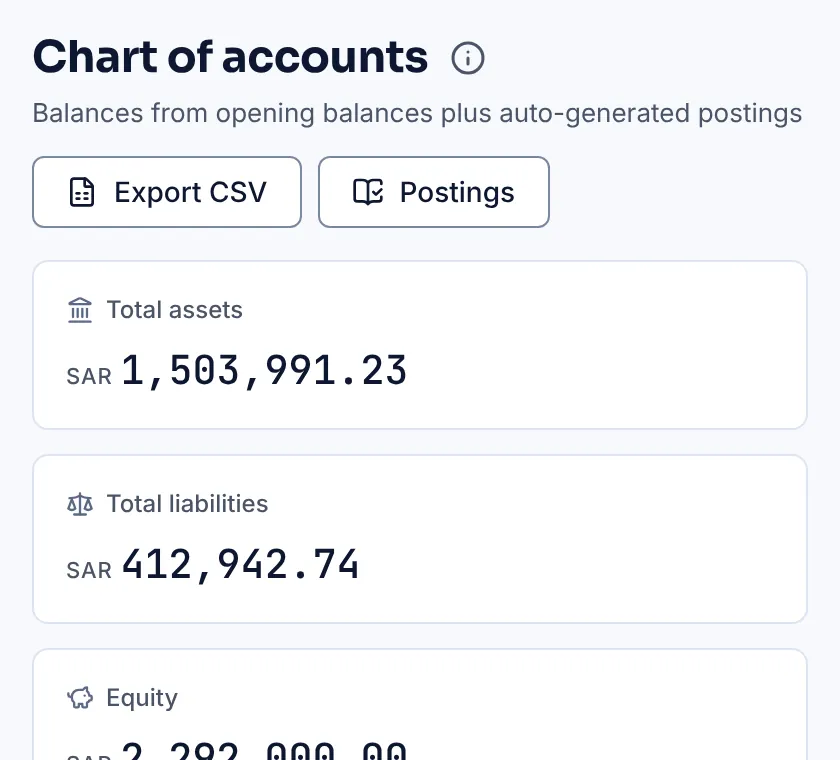
In StartERP every sale, return, purchase, payment and expense posts a double entry to the ledger as it is saved. The chart of accounts shows balances from the opening balances plus these postings, the trial balance is always up to date, and every account has a ledger you can open down to the document behind each line.
Your accountant does not re-type the shop's day. They open the same store with their own login and see what they need.
Ledgers your accountant can trust
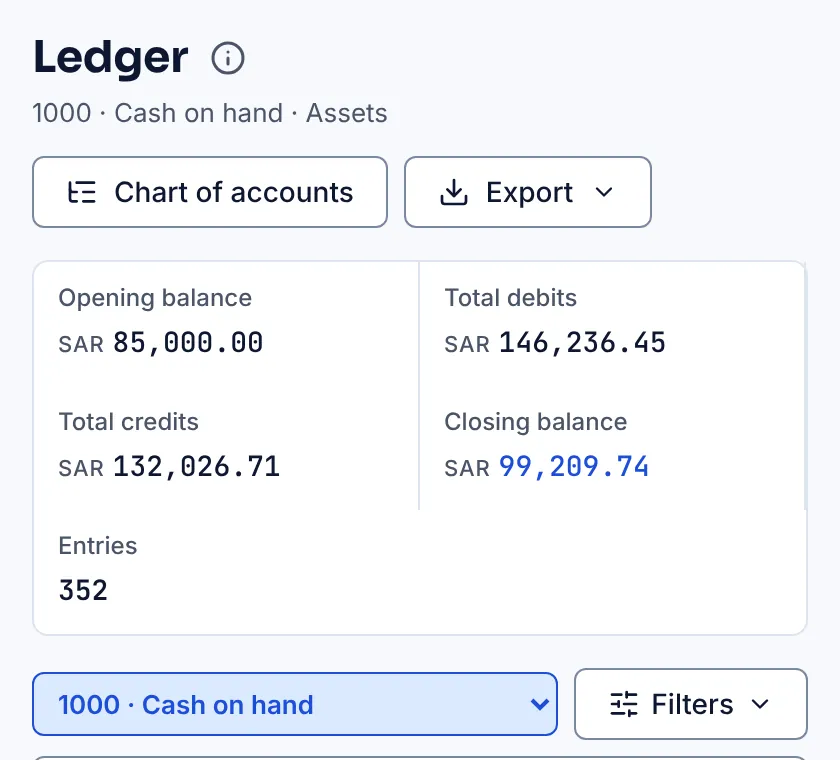
Each ledger shows the opening balance, total debits and credits, the closing balance and every entry, with filters, and exports to Excel. Manual journals are there for the adjustments only an accountant makes, such as accruals and depreciation.
What the owner sees without asking the accountant
Books are only useful if the owner can read them. The dashboard shows revenue against total expenses month by month, today's sales and payments, and the stock running low. Customer and vendor lists show who owes you and whom you owe, and every list and report exports to Excel when the bank or a partner asks for figures.
Purchases, vendors and input VAT
The VAT you pay on purchases can only be deducted when it is backed by a valid tax invoice from a VAT-registered supplier. Record each vendor bill with the supplier's VAT number and their invoice number, and keep purchase returns and expenses with VAT in the same system, so the input VAT on your return matches the bills in your drawer.
Before you file, StartERP's checks for Saudi stores point out purchases whose input VAT is at risk, such as a bill without the supplier's VAT number, so they are fixed before ZATCA asks.
The VAT return, box by box
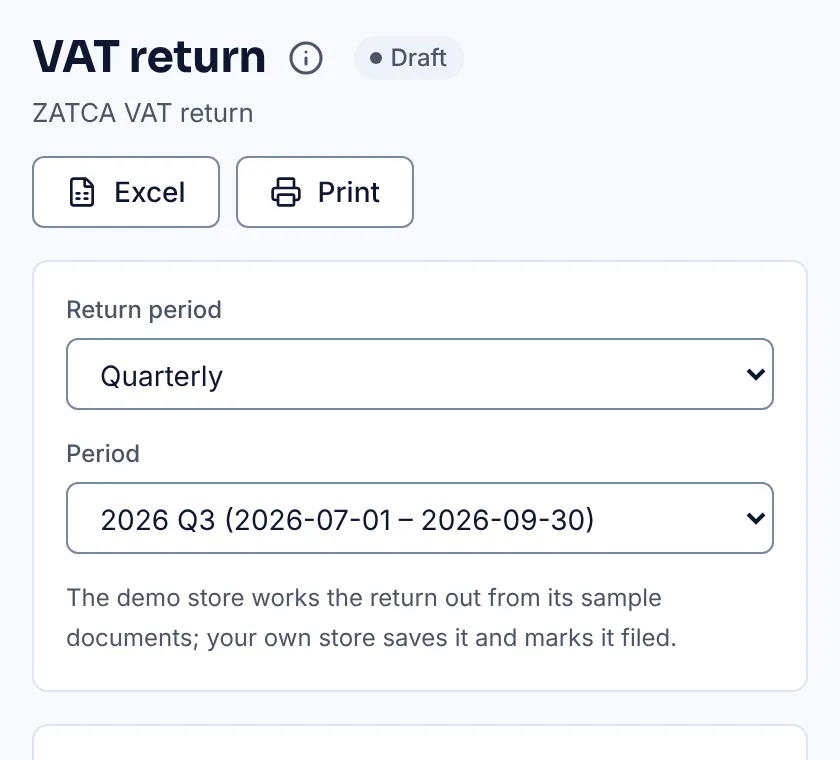
The VAT return module lays out your return for a month or quarter like ZATCA's form, from the sales, returns, purchases and vendor expenses you already keep. Press any box to see the documents behind it, add adjustments with a reason, then copy the figures into the ZATCA portal and mark the period filed, which locks it.
For Saudi stores the same screen gives a VAT audit file in Excel and PDF, a withholding tax schedule for payments to foreign vendors, and checks to run before you file.
A simple month-end routine
- Enter the last vendor bills and expenses of the month, with their VAT.
- Count the cash, match the bank statement to the books, and post anything missing.
- Look at the customer and vendor balances and chase what is overdue.
- At the end of the quarter, open the VAT return, run the checks and fix what they find.
- File on the ZATCA portal by the deadline, the last day of the month after the period, then mark the return filed so the period locks.
- Share the trial balance and ledgers with your accountant, or let them log in and look for themselves.
Zakat and the year end
StartERP does not work out your zakat base: that needs your accountant's financial statements and judgement. What it does is give your accountant a clean trial balance, ledgers and stock values at the year end, so the zakat return starts from figures that match your invoices.
Several branches, one set of books
Many Saudi businesses run a separate program in each branch and add the figures up in a spreadsheet at month end. In StartERP each branch is a store under the same company: sales, stock and expenses are kept per branch, transfers between your own branches move stock without VAT, and the owner sees every branch side by side without waiting for the spreadsheet.
Moving from Excel, Tally or a desktop program
Start at the beginning of a month or quarter. Import products, customers and vendors from Excel or CSV, enter opening balances from your last trial balance, and keep the old system read-only for reference. The Data Migration module helps with larger moves from older systems.
See the POS for your trade
What it costs in Saudi Arabia
Prices are on request: pick the modules you need and we will email you a quote in Saudi riyals. Every store starts with a 15-day free trial, no card needed.
Frequently asked questions
Can I start in the middle of the year?
Yes. Start on the first day of a month and enter opening balances from your last trial balance. Starting on the first day of a VAT quarter means that quarter's return comes wholly from StartERP.
Can my outside accountant use it?
Yes. Give them their own login with an accountant's role. Users are unlimited, so it costs nothing extra, and you can take the access away at any time.
Does it file the VAT return with ZATCA for me?
No. It prepares the return box by box with the documents behind each figure; you or your accountant enter the figures on the ZATCA portal and then mark the period filed in StartERP.
Is it in Arabic?
Yes. Every screen works in Arabic and English, and invoices can be printed in both.
Where is my data kept?
In StartERP's cloud, with a nightly backup of the platform. Every list exports to Excel, so your data is never locked in.