Cloud POS for Saudi Arabia, ready for ZATCA Phase 1 and Phase 2
A cloud POS keeps your sales, stock and invoices on the internet instead of one computer in the shop, so you can see every branch from your phone. In Saudi Arabia it also has to issue ZATCA-compliant invoices and keep selling when the connection drops. This guide explains what to look for and shows how StartERP does it.
By Sirin Kolasseri, Founder of StartERP · Updated
Cloud POS or desktop POS
A desktop POS keeps its data on the shop's own computer. When that computer breaks, the data and the history go with it, and each branch runs its own copy that does not see the others. A cloud POS keeps one set of data online: every till, branch and office screen reads the same products, prices, stock and customers, and backups are not the shop's job.
The worry most owners have is the internet. A good cloud POS answers it with an app that keeps selling offline and syncs when the line comes back, so the cloud is an advantage, not a risk.
What ZATCA asks of a POS
Phase 1 applies to every VAT-registered business: receipts must come from compliant software, cannot be edited after they are issued, and a simplified tax invoice carries a QR code with the seller's name, VAT number, date and time, the total with VAT and the VAT amount.
Phase 2 (integration) comes in waves. Once your wave starts, each POS receipt is a signed UBL 2.1 XML invoice reported to ZATCA within 24 hours, each till is registered as its own e-invoicing unit, and returns are issued as credit notes linked to the original invoice. Wave 25 brings in businesses with VAT-subject revenue above SAR 187,500 in any year from 2022 to 2025, by 1 February 2027.
Receipts your customers and ZATCA can read
A walk-in customer gets a simplified tax invoice on an 80 mm thermal receipt or A4, in Arabic and English, with your VAT number and the ZATCA QR code. When the buyer is a VAT-registered business, choose them as the customer and the same sale becomes a standard tax invoice with their name, VAT number and address, which in Phase 2 is cleared by ZATCA before you hand it over.
Returns are never made by editing or deleting a sale. The cashier makes a return against the original receipt, and the system issues a credit note that names it, so your sales, stock and VAT stay right.
Selling when the internet drops
The StartERP desktop app for Windows and macOS and the Android app keep selling without internet and sync both ways when it returns. In a Phase 2 store each approved till can be connected to ZATCA as its own unit and signs its simplified invoices on the device, then reports them when the connection is back, inside ZATCA's 24-hour window for simplified invoices.
A POS that fits your trade
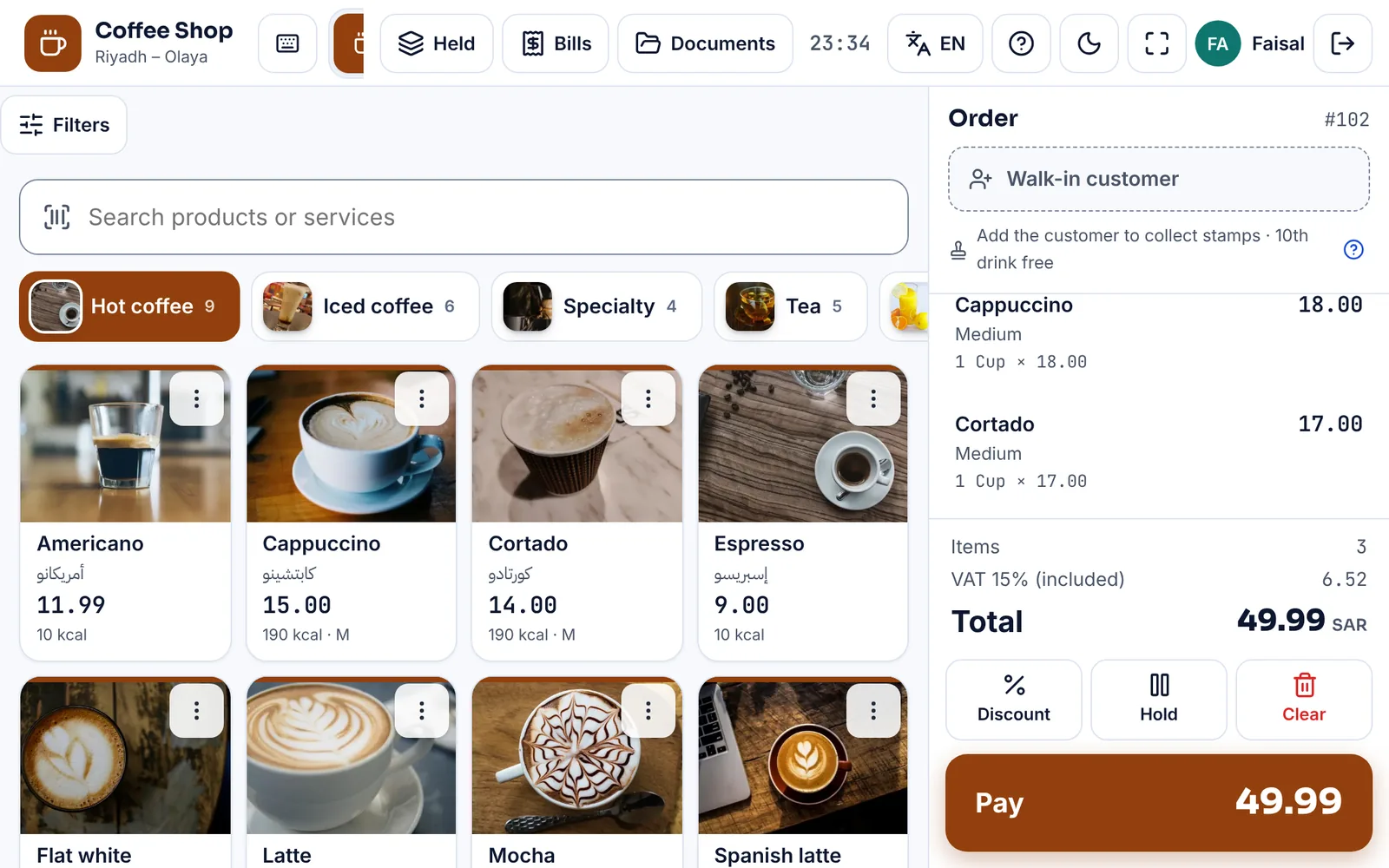
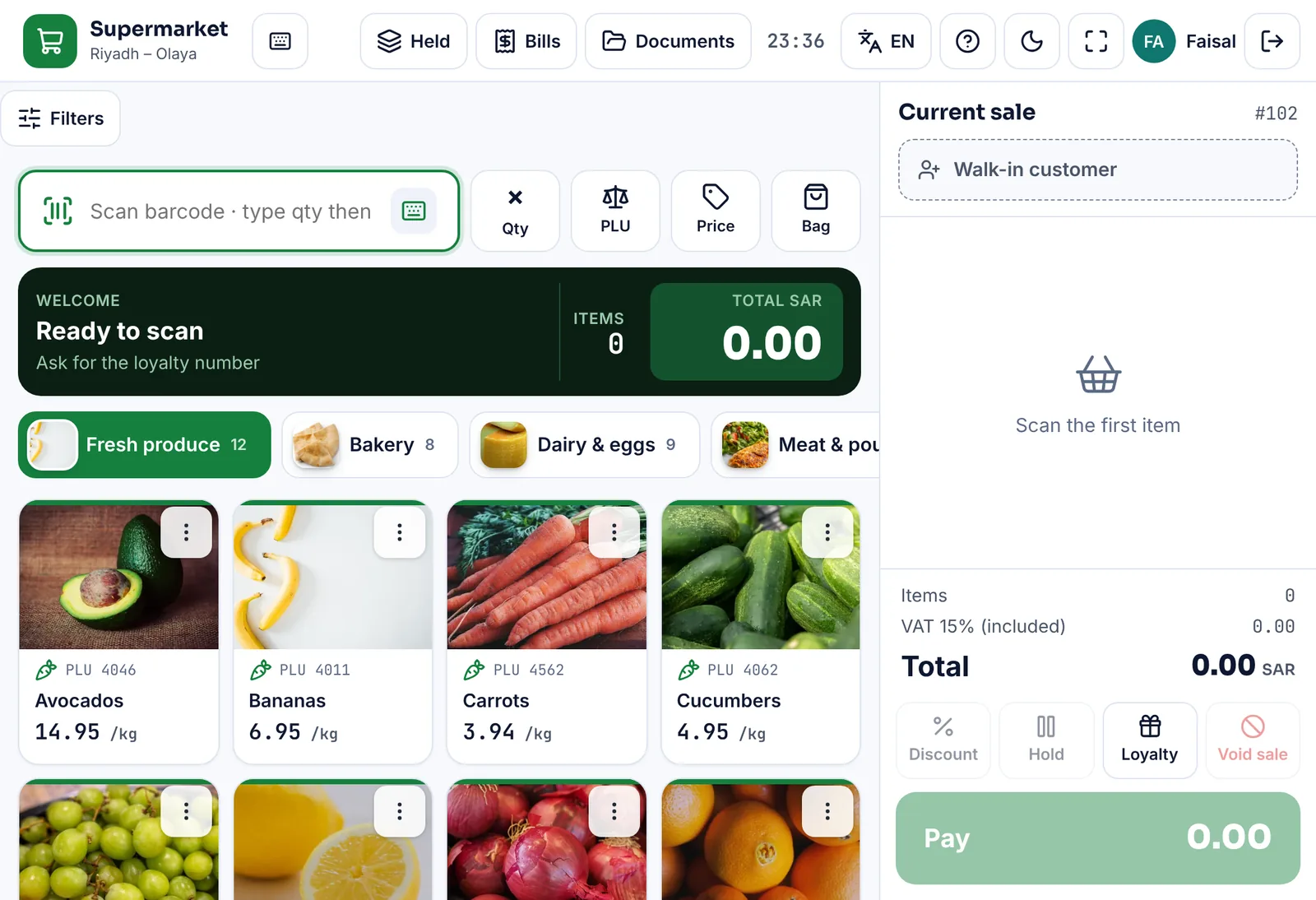
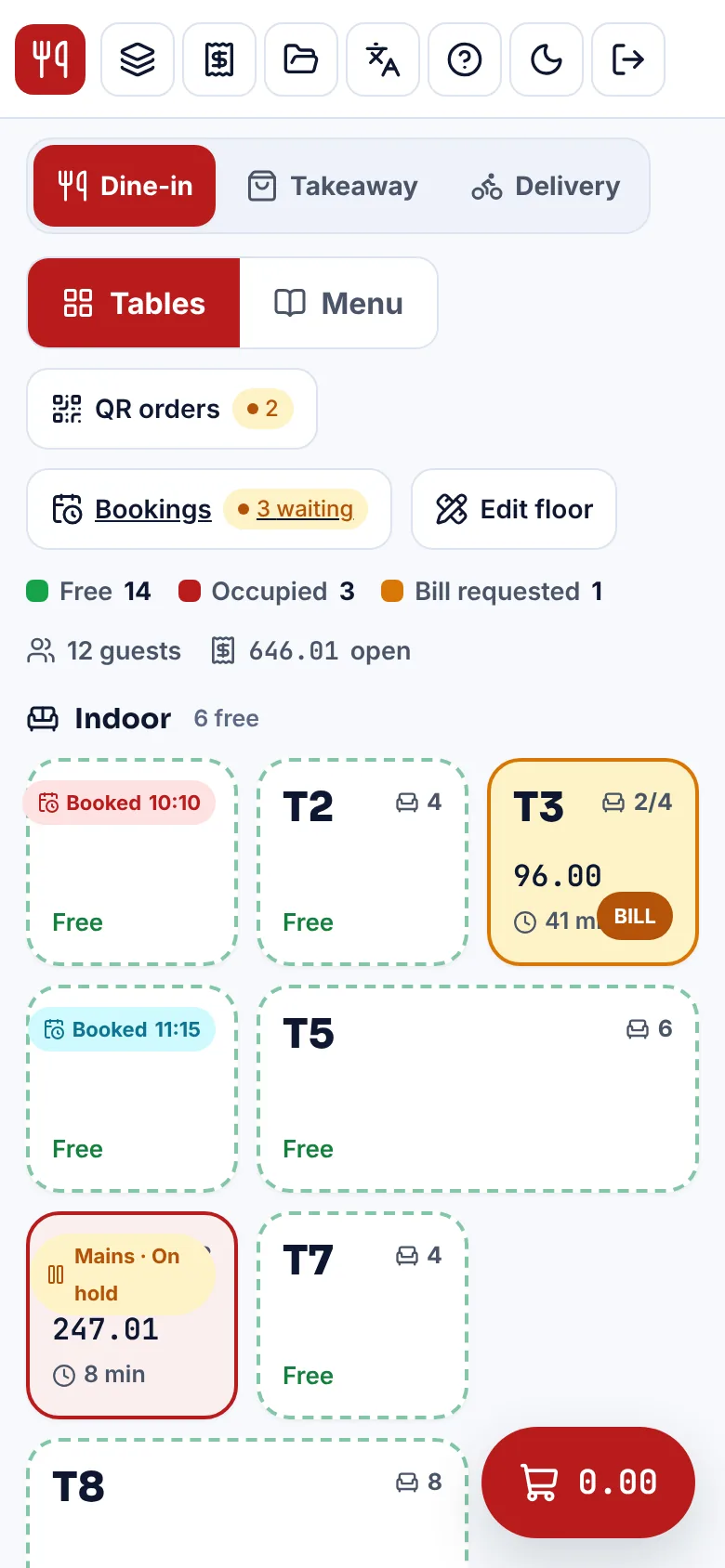
A restaurant needs tables, kitchen orders and split bills; a pharmacy needs batches and expiry dates; a supermarket needs barcodes and scales; a salon needs appointments. StartERP has its own POS screen for each business type, with its own words, fields and starter catalog, so a café is not forced into a grocery screen. Pick yours below to see it.
Busy counters can sell with the keyboard alone: search, quantity, payment and printing without touching the mouse.
Branches, stock and the office
Each branch is a store with its own tills and stock, and the owner sees them together: sales by branch, stock in every warehouse, transfers between branches, and one customer list. The POS posts into the same system as purchases, expenses and accounts, so the day's takings do not have to be typed in again in the office.
Users are unlimited in every plan, so adding a cashier or a supervisor costs nothing.
Your first day on a cloud POS
- Sign up with your business type, so the POS screen, words and starter catalog fit your trade from the first minute.
- Enter your VAT number and National Address before the first invoice, so every receipt carries them.
- Import your products from Excel, or scan their barcodes and add prices as you go.
- Add each cashier as a user with their own login, so every sale shows who made it.
- Connect the receipt printer, barcode scanner and cash drawer, then make a test sale and a test return.
- Open the dashboard on your phone at closing time to see the day's sales, payments and stock alerts.
Questions to ask any POS vendor
- Does it print the ZATCA QR code today, and can it do Phase 2 when your wave comes?
- What happens to sales and invoices when the internet drops?
- Is the screen in Arabic and English, with Arabic invoices?
- Do you pay per user, per device or per branch?
- Can you export your data to Excel if you leave?
- Can you try it yourself before you pay?
See the POS for your trade
What it costs in Saudi Arabia
Prices are on request: pick the modules you need and we will email you a quote in Saudi riyals. Every store starts with a 15-day free trial, no card needed.
Frequently asked questions
Is a cloud POS allowed for ZATCA e-invoicing?
Yes. ZATCA sets rules for what the invoice must contain and how it is signed and sent, not where the software runs. A cloud POS that meets the Phase 1 and Phase 2 requirements is as compliant as a desktop one.
Do I need special hardware?
No. StartERP runs in a web browser and in its Windows, macOS and Android apps, with receipt printers, barcode scanners and cash drawers. Many shops start with a tablet or the computer they already have.
Is the Phase 1 QR code included?
Yes. Every Saudi StartERP store prints the Phase 1 QR code on its invoices at no extra cost. Phase 2 integration is the ZATCA e-invoicing add-on module, added when your wave arrives.
Can I move my products and customers from my old system?
Yes. The import screen reads products, customers, vendors and past invoices from Excel or CSV, with a sample file for each.