ZATCA Phase 2 e-invoicing software: what it must do and how to connect
Phase 2 of ZATCA e-invoicing, the Integration Phase, connects your invoicing software to the Fatoora platform. Not every program that prints a QR code can do it. This page sets out what Phase 2 software has to do, how a branch is connected, and how StartERP handles it.
By Sirin Kolasseri, Founder of StartERP · Updated
What Phase 2 software must do
- Build each invoice and note as XML in the UBL 2.1 format with ZATCA's extra fields.
- Give each document a UUID and a counter that never repeats or skips.
- Chain each invoice to the previous one with its hash, so none can be removed unnoticed.
- Sign it with the unit's cryptographic stamp and put the stamp in the QR code.
- Send standard (B2B) invoices for clearance before giving them to the buyer.
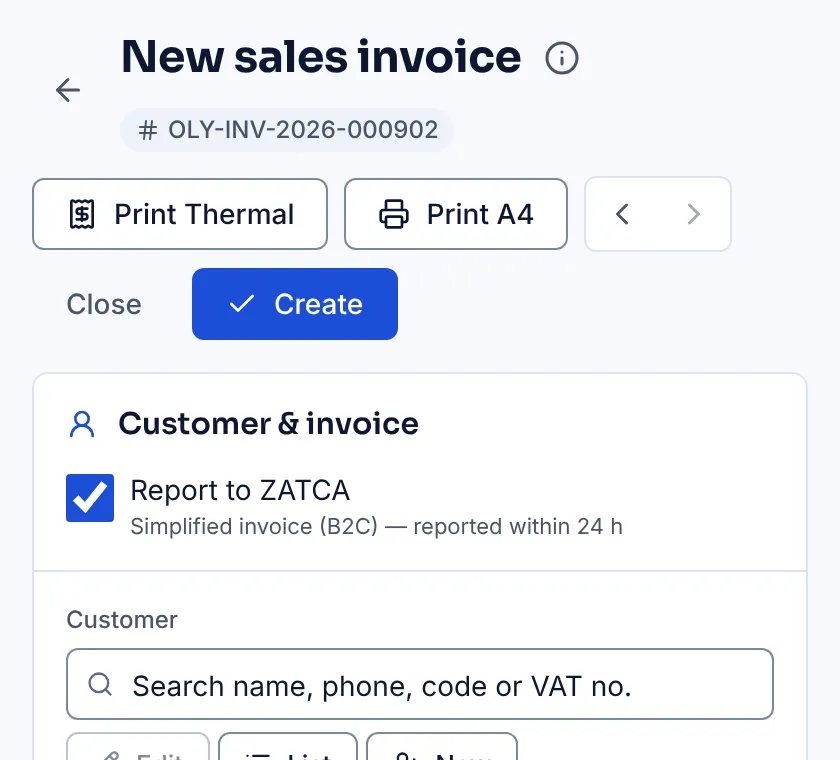
- Report simplified (B2C) invoices within 24 hours of issuing them.
- Issue returns and corrections as credit and debit notes that refer to the original invoice.
Standard or simplified: which invoice when
A standard tax invoice is for a buyer that is a VAT-registered business. It carries the buyer's name, VAT number and address, and in Phase 2 it is cleared: sent to ZATCA, checked and stamped before you give it to the buyer. A simplified tax invoice is for consumers. It goes to the customer at once and is reported to ZATCA within 24 hours.
The type follows the customer, not the screen: the same POS or invoice form issues either, depending on whether the buyer is a registered business. Keeping your business customers' VAT numbers and addresses correct is most of the work.
Connecting a branch: onboarding
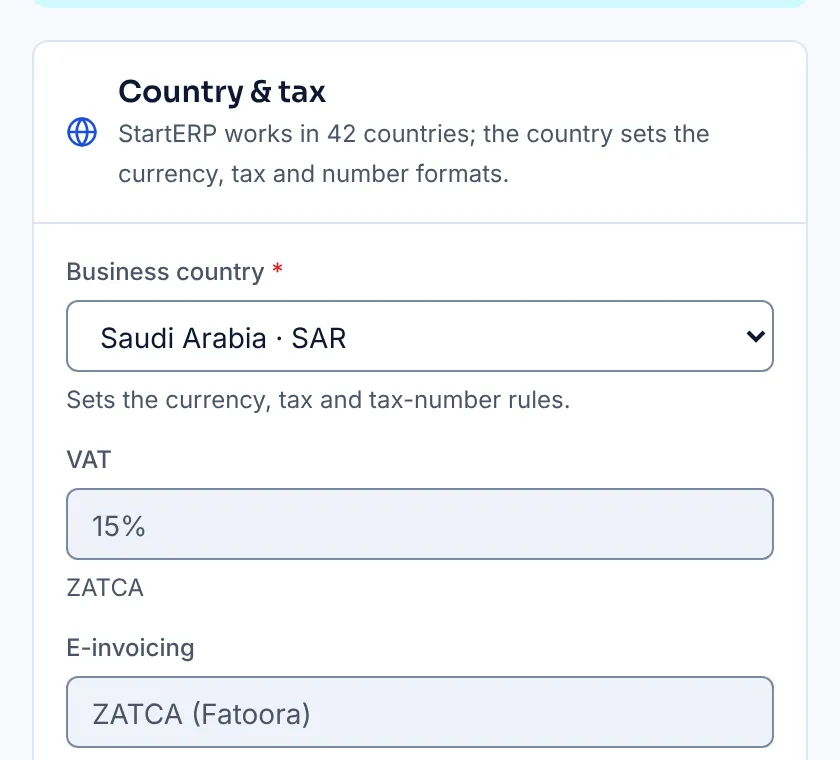
Every device or system that issues invoices is an e-invoicing unit (EGS) and is connected on its own. You log in to the Fatoora portal, generate a one-time password and enter it in your software. The software creates a key and a certificate request, receives a compliance certificate, sends ZATCA test documents that must pass, and then receives the production certificate it signs with from then on.
In StartERP this is one screen per branch: paste the OTP, and the checks run for you. Each counter and approved offline till can be its own unit.
What changes day to day
For a cashier, very little: the sale is made and the receipt printed as before, and reporting happens in the background. For the office, a B2B invoice now waits a moment for ZATCA's clearance before it can be sent to the customer, and each document carries a status: cleared or reported, in progress, or failed with ZATCA's reason.
The most common failures are data, not software: a buyer's VAT number with a typo, a missing National Address, or a return that does not name its original invoice. Fix them once in the customer record and they stay fixed.
Credit notes, debit notes and corrections
An issued invoice is never edited. A return, a discount given after the sale or a price that was too high is a credit note; a price that was too low is a debit note. Each note names the original invoice and the reason, and goes through the same clearance or reporting as the invoice it corrects.
How StartERP does Phase 2
Phase 2 is the ZATCA e-invoicing add-on module for Saudi stores. Once a branch is connected, every sales invoice, return, credit note and debit note, from the POS and from the office, is built as UBL 2.1 XML, signed with the branch's certificate, chained, and cleared or reported. Each prints with ZATCA's QR code and keeps its signed XML to download. Phase 1 QR codes stay free without the add-on.
A four-week plan before your date
- Week 1: check your VAT number and National Address, and clean the VAT numbers and addresses of your business customers.
- Week 2: connect one branch, issue test invoices, a return and a credit note, and check each one's status.
- Week 3: connect the other branches, counters and offline tills, each with its own OTP.
- Week 4: train cashiers and the office, decide who watches failed documents each day, and go live before the deadline.
Questions to ask before you choose
- Can it show you a cleared B2B invoice and a reported B2C invoice in a demo, with the signed XML?
- Is each branch and till its own unit, and what happens to invoices made offline?
- Are returns issued as credit notes linked to the original invoice?
- Does every document show its ZATCA status, and who sees the failed ones?
- Is Phase 2 priced per branch, per device or per invoice?
See the POS for your trade
What it costs in Saudi Arabia
Prices are on request: pick the modules you need and we will email you a quote in Saudi riyals. Every store starts with a 15-day free trial, no card needed.
Frequently asked questions
Does every till need its own certificate?
Every e-invoicing unit signs with its own certificate. In StartERP each branch, counter and approved offline till can be its own unit, each connected once with its own OTP from the Fatoora portal.
Is a QR code enough for Phase 2?
No. The Phase 1 QR code shows five fields. Phase 2 needs a signed XML invoice that is cleared or reported to ZATCA, and its QR code also carries the cryptographic stamp.
Can I keep my current POS and add Phase 2?
Only if your current software supports Phase 2 itself or through an integration. If it does not, the simplest route is to move invoicing to software that does, before your wave's date.
How long does onboarding take in StartERP?
Connecting a branch takes minutes once you have the OTP from the Fatoora portal. Plan a few days around it to check your VAT number, address and customer data and to train staff.
What if ZATCA rejects an invoice?
The document shows as failed with ZATCA's message. Correct the data, usually the customer's VAT number or address, and send it again; for a cleared invoice that was wrong, issue a credit or debit note.